
Complete outsourced security for companies without IT staff

"Is our website safe?"
Be able to answer it, starting today.

On October 21, the Prime Minister urged late-night patching. In fact, that night's PHP issue was just 1 of 12 critical risks disclosed in October. Recruitment agencies, professional firms, retailers: for companies without dedicated IT staff, we take on everything, from inventorying the technology you use to applying fixes and monitoring afterwards.

Request a free inventory →See monthly support details

It's fine to start from "we don't know which of the 12 affect us."

Nobody knows what your systems actually run on

The website was left to a web agency, and internal systems are still on contracts your predecessor signed. There is no list anywhere.

→ We take the inventory. Just give us your URL and we will send you a free list of the technologies and versions you use.
You read the news but can't tell if it affects you

PHP? GitLab? Next.js? You can't tell which one applies to you, so in the end nothing gets done.
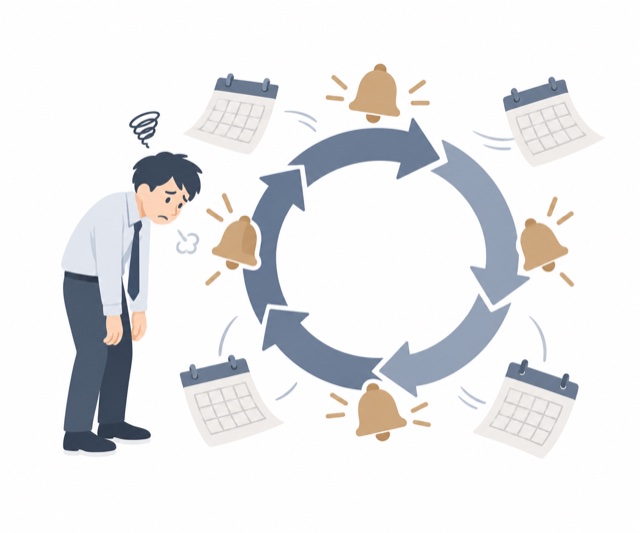
→ We do the matching. We check your list against the 12 official advisories and narrow it down to a report like "you need to do 2 things."
It will happen again with the next scare

This time the Prime Minister warned everyone. Next time, nobody may tell you.

→ We keep watch. For a monthly fee, we monitor official advisories continuously. We contact you only when something affects you, and fix it then and there.
Non-disclosure agreement (NDA) signedFirst report and quote within 1–2 business days of a disclosureJapanese-language support, 2-hour time differenceISO/IEC 27001:2022Our own engineers do the fixes

Just enter your URL: a free security check

Check encryption, security headers, information exposure, domain and email settings, and vulnerabilities in the software you use.

Uses only what a normal visit to the site reveals. No attack traffic is sent.
Checking a company website in Japan ›|Checking the site of an overseas subsidiary ›

Six kinds of damage actually happening in Japan

Not the "sophisticated attacks" in the news: most are caused by things left old, left open or left unwatched.

1
Website defacement or downtime
An old component is exploited and the site is defaced or taken downExample: Gakken Medical Support (2026): 78 sites accessed
Protect the entrance / Fix what is old
2
Spoofed email
Fake email in your name reaches business partnersExample: Chuo University Biz Support (2026): email spoofing the president
Protect email
3
Missed anomalies
Defacement or downtime goes unnoticed and the damage drags onExample: GMO Internet (2026): intrusion unnoticed for two and a half months
Watch / Prepare for incidents
4
Staff account takeover
A staff ID is stolen and used to get insideExample: KADOKAWA (2024): Niconico down for about two months
Protect accounts / Training
5
Vendors and assets not managed
A vendor device or an unused server becomes the entry pointExample: Osaka General Medical Center (2022): intrusion via a vendor device, care restricted for two months
Know your assets / Manage vendors
6
Weak passwords and stale privileges
A weak password leads to admin rights being takenExample: Asahi Group (2025): intrusion via a site, shipments stopped
Protect accounts / Protect devices

Sources: company disclosures and press reports (2022–2026). These are not cases from our clients.

We protect two things: your website, and your company PCs and accounts

What is visible from outside
Protect your website and apps

Everything anyone can reach from the internet. We check it from outside, fix it and keep watch.

  • Vulnerability check and light penetration test
  • WAF, certificates, email settings and backups
  • Updating old versions, fix instructions to your vendor
  • Downtime and defacement monitoring, cloud settings review
What is used inside the company
Protect staff PCs and accounts

Everything staff touch every day. Even without an IT department, it stays under control.

  • Inventory of PCs, accounts and SaaS
  • Account setup and removal, multi-factor authentication
  • Internal rules and staff training
  • Answering checklists and audits from business partners

Which plan fits you?

We have a website and want to make it safe first
Standard
Monthly. Website and apps checked and monitored every month
No IT staff. We want PCs and accounts covered too. Business partners ask us to manage this
Advanced
Monthly. Standard + management of company PCs and accounts
We only want specific work done when we need it
Spot work
Per job. Fixed quote before work starts

Spot work is quoted per job even while on Standard or Advanced. The external check is free.

What each plan includes

Choose by how much you want covered. Spot work is quoted per job even while on Standard or Advanced.

Monthly | website and apps
Standard
Monthly
Companies that want to keep their website safe
  • Website and app monitoring (AI monitoring)
  • First report when a weakness is disclosed
  • Regular updates of plugins and the like
  • Certificate and backup checks
  • Monthly report in Japanese
Monthly | website and apps + company PCs and accounts
Advanced
Monthly
Companies without IT staff, or asked by business partners to manage IT
  • Everything in Standard
  • Inventory and checks of PCs, accounts and SaaS
  • Account setup and removal, multi-factor authentication
  • Answering checklists from business partners and audits
  • Staff training (once or twice a year)
Per job | only what you need
Spot work
Fixed quote
Companies that want fixes only when needed
  • Emergency response (defacement, downtime, disclosures)
  • Updating old components, server migration
  • Light penetration test
  • Inventory, first answer to business partners' checklists
  • Fix instructions to your vendor and re-check

* Emergency response and fix work are charged separately under every plan (fixed quote before work). The price varies with your technology stack, the scope of access and responsibility we take on, the response speed required and the number of staff and devices.

What happens when a new weakness is found

When a weakness is disclosed, you receive a first report and a quote within about 1–2 business days. Checking disclosures through to the quote is part of the monthly plan; if you are not affected, we do not contact you. Fix work is quoted separately by scope.

1
Check disclosures continuously

Using your component inventory, AI monitoring checks disclosures every day, including weekends and holidays

2
First report

Only if you are affected, in Japanese: what was disclosed, which part of your environment is affected and whether to stop now

3
Investigation

We confirm scope and urgency. For components with no fix, we look for other measures such as WAF blocking or a temporary shutdown

4
Quote

For what we can do ourselves, we propose options with their impact (downtime, cost) together with a fixed-price quote

5
ActionSpot work

After your approval we fix it ourselves or handle the request to your vendor, re-check afterwards (free) and log the work in the monthly report

How we check for weaknesses every day (AI monitoring)

Your information
Technology and component inventory
You give us the list and we maintain it.
PHPWordPressLibraries
Public disclosures
Vulnerability disclosures
AI collects CVEs and other disclosures automatically every day.
AI monitoring
Matches the inventory against disclosures automatically
What you receive
First report and quote
Only the weaknesses that concern you, in Japanese. For what we can fix ourselves, a quote is attached.
This is how we can send the first report and quote right after a disclosure.

FAQ

QWhat does the free check tell us?
A
From what is publicly visible from your website URL, we check the technologies and versions you use, their end of support (EOL), matches against published vulnerabilities, your SSL certificate and email sending domain settings. Server internals, cloud settings and company devices cannot be seen from outside, so we check those as spot work or under Advanced if needed.
QDo we need to give you admin access?
A
We only ask for what the checks require. If you would rather not share access, we can guide your staff through the steps over screen sharing. We sign an NDA, manage everything you entrust to us and keep work logs.
QOur website is managed by a web agency
A
No problem. We give you the wording to send to your agency based on the results. If you prefer, we follow up with the agency and re-check after the fix.
QStandard or Advanced: which should we choose?
A
If you only want to keep your website safe, Standard. If you have no IT staff, or business partners ask you to manage internal IT, Advanced. Advanced includes everything in Standard. You can switch later.
QCan you handle the security checklists our business partners send?
A
Yes. Under Advanced we answer checklists from business partners and audits based on the inventory of PCs, accounts and SaaS. The first set of answers can also be done as spot work.
QHow much does it cost?
A
The check is free. Spot work is quoted as a fixed amount before it starts. Standard and Advanced are paid month by month, so you can stop any month you like. The price varies with your technology stack, the scope of access and responsibility we take on, the response speed required and the number of staff and devices; we tell you in the free consultation.
QCan we stop after the check?
A
Yes. You are welcome to just take the results. You can also carry out the fixes in-house or with another vendor.
QCan you also help after an incident?
A
Detecting defacement or downtime, restoring and fixing are part of the service. Post-incident forensic investigation, support for reports to authorities and drafting internal policies are out of scope; please ask us separately if needed.

Start by sending us your URL

We send the free check results within 3 business days. No passwords, no work on your side.

You are welcome to stop after the check. Decide whether to move on to Standard, Advanced or spot work after you see the results.
Request the free check

Paste your website URL in the message field and we can start the check right away.

Please read our Privacy Policy before sending. We do not ask for your phone number.

Any IT question is welcome.
Feel free to get in touch.

Free 30-minute consultation ›Security maintenance details ›