

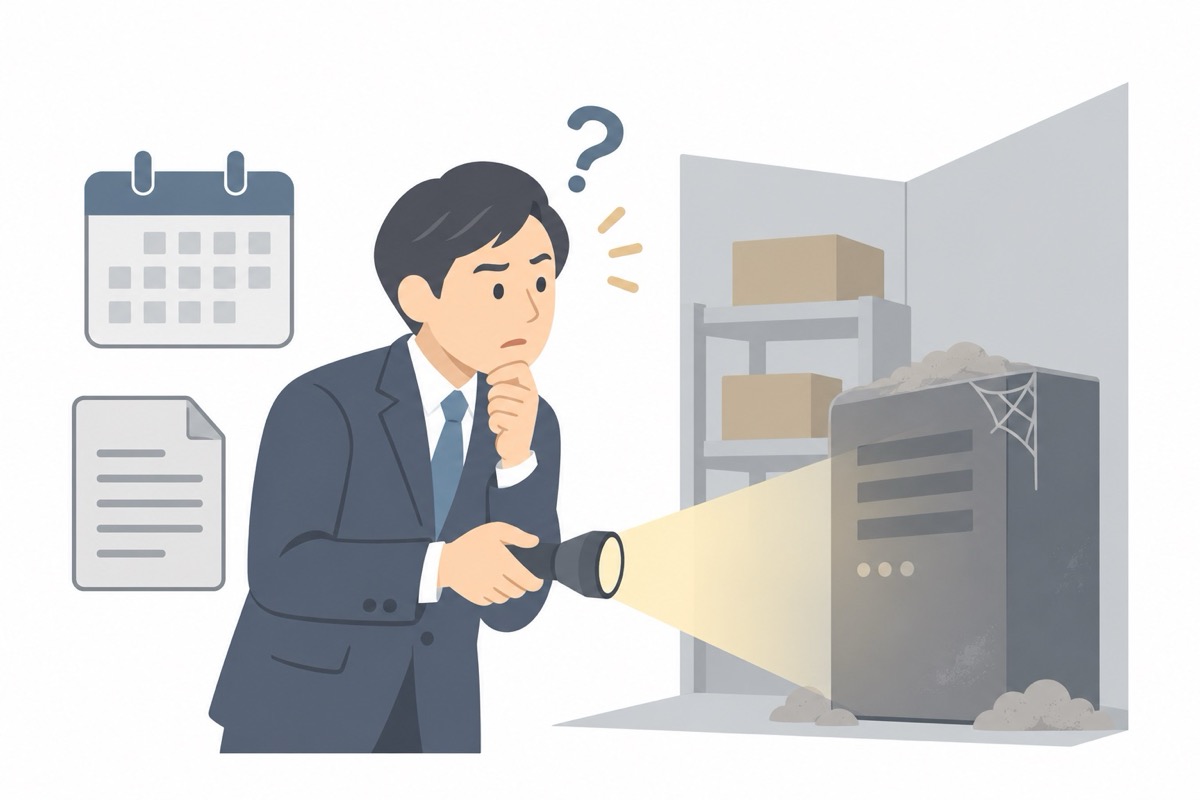
- A server you “stopped using” and a server you “shut down” are different things. FTP servers, old sites, campaign landing pages, sold services and test environments tend to stay because nobody did the shutdown work.
- The 2021 Log4j vulnerability (CVE-2021-44228) is still on US CISA’s list of vulnerabilities actually exploited in attacks. A server whose updates stopped is an entry point no matter how many years ago the vulnerability was published.
- If you stop the server but leave the name (subdomain or domain), a third party can take it over and use your name for fraud (JPCERT/CC has reported such cases).
- To find them, cross-check three lists: invoices, DNS records and certificates. Even without IT staff, you can collect them from accounting and your web agency.
- Shut down in this order: confirm → back up → stop → delete DNS → cancel → record. Keep the domain, and write the result in the asset register before the next renewal.
“No longer used” and “shut down” are different
During assessments, when we list from outside every name tied to a company’s domain, we often find servers the staff had forgotten.
- An FTP server opened to exchange files with the web agency (still open after the renewal)
- The old site from before the renewal (left under names such as `old.` or `www2.`)
- Landing pages built for campaigns or events, with their own domains
- Servers of a service that was sold or discontinued (only the contract stayed with the company)
- Test environments built to check production (`stg.`, `dev.`, `test.`)
What they share is that nobody did the “shut down” work at the moment the server “stopped being used”. The person in charge moved or left, the web agency changed, and only the invoices kept being paid automatically.
Old vulnerabilities are still used
Forgotten servers are dangerous because their software stays as it was on the day they stopped, and updates stop.
A clear example is the Log4j vulnerability of December 2021 (CVE-2021-44228). A CVE is the worldwide number given to a published vulnerability. JPCERT/CC issued an alert on December 11, 2021: Apache Log4j 2 versions before 2.15.0 were affected, and it ultimately called for updating to 2.17.1 (for Java 8 and later) and other fixed versions. Many companies responded at the time, but only for “the servers they knew about”.
US CISA (Cybersecurity and Infrastructure Security Agency) publishes the “KEV catalog”, a list of only those vulnerabilities confirmed to have been used in attacks. The list updated on November 6, 2026 holds 1,769 entries; CVE-2021-44228 was added on December 10, 2021 and its use in ransomware attacks is marked “Known”. A vulnerability published years ago stays on the list because places where it still works remain.
In IPA’s (Information-technology Promotion Agency, Japan) “10 Major Security Threats 2026” for organizations, “attacks exploiting system vulnerabilities” is fourth and “damage from ransomware attacks” is first. Forgotten servers are the entry point for both. If a test environment sits on the same network as production, production is reached from there.
Abandoned “names” get taken over too
Cases where only the name (domain or subdomain) remains after the server is stopped are dangerous as well.
In its incident response report for July to September 2020, JPCERT/CC described cases of subdomain takeover.
A CNAME is a DNS setting (DNS is the system that links names to servers) meaning “this name points to another name”, and a CDN is an external service that delivers a site faster. The report says there were several reports of prize-scam pages shown on sites that looked like legitimate subdomains. When fraud is run under your company’s name, the company does not notice.
Dedicated domains bought for campaigns are the same. IPA’s explanatory article “What is an internet domain name, really?” (May 2026) says there are many cases of “drop catching”, where someone else re-registers an expired domain name, and advises: “Stop using new domain names for short-lived campaigns” (IPA DX SQUARE).
How to find them: cross-check three lists
Even without IT staff, you can search from documents you already have.
| List | Where it is | What it tells you |
|---|---|---|
| Invoices and credit card statements | Accounting. Charges from server companies, domain registrars, CDNs and hosting providers | Servers and domains you keep paying for (and whose name the contract is in) |
| DNS records | The domain management console (often held by the web agency) | Names tied to your domain (A, CNAME, MX and others) and where they point |
| Certificates | Search the certificate transparency logs (CT logs, a system that publishes issued certificates) | Names for which certificates were issued under your domain in the past. Test environments the web agency created on its own also appear here |
Line the three up and pull out “invoiced but not in DNS”, “in DNS but not invoiced (unknown who pays)” and “has a certificate but nobody knows it”. This cross-check is also something an external assessment can do for you; our free external check also produces the list of names visible from outside.
How to stop them: get the order right
If you cancel a server you just found right away, you may lose data you cannot get back, or leave only the name behind to be taken over. The order is as follows.
- Confirm: is anyone still using it (access logs, check with the department)? For a sold service, check the transfer contract for who shuts it down
- Back up: take the data and server settings and decide how long to keep them (handle anything you must retain by law or contract separately)
- Stop: stop the server (before cancelling, confirm for a few weeks that business continues without it)
- Delete DNS: remove the A and CNAME records for that name. CNAMEs pointing to external services must always be removed
- Cancel: cancel the server, CDN and certificate contracts. As a rule, keep the domain and continue renewing it
- Record: write down when, who and what was stopped in the register
Record it in the asset register
So that this does not end as a one-time clean-up, write what you found in an asset register (the list of servers, domains and software the company owns). IPA’s “Information Security Measures Guidelines for SMEs” (version 4.0) includes a template information asset register as an appendix. How to build the register and which columns to use for managing end of support (EOL) are covered in the EOL inventory checklist, so add “purpose”, “owner” and “planned shutdown date” columns to the same register.
When you build a new server or landing page, the most effective habit is to write “when it will be shut down” in the register first.
What to do, in order
- This week: ask accounting for one year of invoices from server companies, domain registrars, CDNs and hosting providers, and make a list
- This month: get the list of DNS records from your web agency and cross-check it with the invoices. Also search the certificate logs and pull out “names nobody knows”
- Next month: clean up forgotten servers in the order confirm → back up → stop → delete DNS → cancel → record. Update the ones you cannot stop and write an owner in the register
- Once a year: repeat the invoice, DNS and certificate cross-check. At every renewal, business transfer or withdrawal, put the “shutdown work” into the contract and the handover
Not sure what your own environment runs on?
With our Security & IT Support, you can hand over everything from inventorying the technologies and versions you use to checking them against vulnerability information, applying fixes and verifying after updates. It is a monthly subscription (quasi-mandate contract) of 5–15 hours a month from US$200/month, with Japanese-language support and only a 2-hour time difference from Japan.